13 Apps That Actually Help You Save Money
You’ve got options—lots of them. Apps like Acorns invest your spare change automatically, while Mint tracks every dollar so you stop wondering where your paycheck went. YNAB teaches you to budget like an actual adult (finally), Rakuten gives you cash back for shopping you’d do anyway, and Trim cancels those subscriptions you forgot existed. Qapital automates savings toward specific goals, Truebill manages recurring charges, and Honey finds discount codes without the hassle. Each app tackles a different money leak—and together, they’ll help you keep more of what you earn.
Key Takeaways
- Acorns and Qapital automate investing and savings by rounding up purchases and transferring spare change without requiring active management.
- Mint and YNAB track expenses and create budgets by connecting financial accounts and assigning every dollar a specific purpose.
- Rakuten and Ibotta provide cash back on online shopping and grocery purchases, depositing real money for routine spending.
- Honey and Trim automatically apply coupon codes and negotiate bills, maximizing discounts without manual effort or searches.
- Personal Capital and Truebill manage investments and subscriptions, tracking recurring charges and providing comprehensive financial dashboards.
Acorns: Automated Micro-Investing From Your Spare Change
Imagine turning every coffee run, grocery trip, and online shopping spree into an investment opportunity—without actually thinking about it.
That’s exactly what Acorns does.
Here’s the spare change strategy: you link your debit or credit card, and Acorns rounds up each purchase to the nearest dollar. Bought a $3.75 latte? It rounds up to $4.00, investing that extra 25 cents automatically.
The micro investing benefits are honestly pretty brilliant—you’re building wealth without feeling the pinch (because who notices quarters disappearing?).
Those tiny amounts add up faster than you’d think, especially when you’re grabbing takeout three times a week.
No stock market expertise required. No complicated decisions. Just your everyday spending—working overtime to secure your future.
While Acorns focuses on investing, you’ll also want to build a separate emergency fund in a liquid, stable account for unexpected expenses like medical bills or urgent repairs.
Pretty neat, right?
Mint: All-in-One Budget Tracking and Bill Management
While Acorns handles your investing on autopilot, let’s talk about getting your entire financial picture in one place—because honestly, who’s the energy to check five different bank accounts, three credit cards, and that random savings account you opened in college?
Enter Mint.
This free app connects to all your accounts and shows you everything at once. Your spending, your bills, your credit score—it’s all there, color-coded and surprisingly not scary.
The best part? Mint sends bill reminders so you’ll never pay another late fee (we’ve all been there, no judgment).
Plus, it suggests budgeting strategies based on your actual spending habits—not some impossible “stop buying coffee” nonsense.
Mint builds budgets around how you actually spend money—not some unrealistic fantasy where you never treat yourself.
You can finally answer the question: “Where does all my money go?”
Spoiler alert: probably Target.
By tracking your expenses for 30 days through the app, you’ll spot patterns that reveal where you’re unconsciously overspending and can set concrete targets to rein it in.
YNAB (You Need A Budget): Zero-Based Budgeting Made Simple
If you’ve ever gotten to the end of the month wondering why your bank account looks sadder than expected—even though you “weren’t spending that much”—you’re going to love YNAB.
This app teaches zero-based budgeting, which means every single dollar gets a job before you spend it. No more mystery money disappearing into the void.
Here’s what makes YNAB’s budgeting strategies different:
- You assign all your money to specific categories (groceries, rent, that coffee habit you’re *definitely* going to cut back on)
- It forces real financial discipline by making you decide what matters most
- You adjust in real-time when life happens—because it always does
The learning curve exists, sure. But once you get it? Total game-changer for actually keeping money in your account. The real power comes from payday dollar allocation, where you cover essentials first, then fund upcoming needs, and finally allocate what’s left for flexible spending and fun.
Rakuten: Cash Back on Everyday Online Shopping
That’s where Rakuten benefits come in. This app partners with thousands of stores—Target, Macy’s, Best Buy—and gives you cash back on purchases you’re already making.
We’re talking real money deposited into your account (or PayPal) every quarter.
The cash back strategies are simple: click through Rakuten before shopping online, buy what you need, and watch the rewards stack up. During seasonal promotions, some stores offer double or triple cash back—that’s when maximizing rewards really pays off.
User experiences show the best results come from changing shopping habits slightly: checking Rakuten first becomes automatic. It’s basically a loyalty program for *all* your favorite stores, powered by affiliate partnerships.
Instead of falling for impulse purchases driven by sales, use Rakuten to earn cash back only on items that align with your actual needs and budget.
Free money? Yes, please.
Trim: Automatic Bill Negotiation and Subscription Cancellation
Most people discover they’re paying for at least three subscriptions they forgot existed—streaming services from free trials, gym memberships they haven’t used since January, maybe that meditation app from 2022.
Trim handles the awkward stuff you’ve been avoiding. The app connects to your bank account, scans for recurring charges, and does the heavy lifting—bill negotiation with your cable company, subscription tracking for services you don’t remember signing up for, and cancellation requests you’d never get around to making yourself.
Here’s what Trim tackles:
- Cable and internet bills (because who actually enjoys calling customer service?)
- Forgotten subscriptions that quietly drain $10–$15 monthly
- Bank fees you didn’t realize existed
They charge a percentage of what they save you, which feels fair when someone else handles those painful phone calls.
Forgotten subscriptions can drain hundreds annually, with a single $25 monthly subscription box costing $300 over a year.
Honey: Coupon Codes Applied Automatically at Checkout
You know that sinking feeling when you complete an online purchase, then immediately see a box asking “Have a promo code?”—and you realize you definitely could’ve Googled for one but now it’s too late and you’d have to start over?
Honey fixes that.
This browser extension works quietly in the background, automatically testing every available coupon code at checkout. No more frantic tab-switching or sketchy coupon sites—Honey does the hunting for you.
When you’re ready to pay, just click the Honey button and watch it cycle through codes in seconds. It’s like having a friend who’s obsessed with coupon hunting strategies (but without the judgment).
The best part? Honey also tracks price history and alerts you to better deals, basically maximizing discounts without you lifting a finger.
It’s completely free, too.
By catching discounts you’d otherwise miss, tools like Honey can help you avoid the regret that often follows impulse purchases, especially during flash sales when the pressure to buy quickly overrides your better judgment.
Digit: Smart Savings Based on Your Spending Patterns
Saving money is great—but only if you actually remember to do it, which, let’s be honest, most of us don’t. That’s where Digit swoops in to save the day (and your bank account).
This clever app does spending analysis on your habits, then automatically moves small amounts you won’t miss into savings.
Here’s how it helps you build that emergency fund without thinking about it:
- It studies your income and spending patterns every few days
- It transfers tiny amounts—like $5 or $12—when you can afford it
- It adjusts based on upcoming bills so you never overdraft
The personalized savings approach means you’re not following some rigid budget that makes you miserable.
You’re just… saving. Automatically. Like magic, but better.
By automating your savings, you enhance consistency and reduce reliance on willpower, making it easier to stick to your financial goals long-term.
Ibotta: Grocery Rebates and Cash Back Rewards
Groceries aren’t getting any cheaper—but at least you can get paid to buy them.
Ibotta turns your regular grocery shopping into a money-making opportunity through one of the smartest rebate programs out there. You browse available offers before you shop, buy the products you’d purchase anyway (cereal, milk, that fancy coffee you can’t quit), then snap a photo of your receipt.
Cash back hits your account within 48 hours—no waiting around for three months like those old mail-in rebates your grandma used to do.
The app works at basically every major store, from Target to Walmart to your local grocery chain.
You’ll earn anywhere from 25 cents to several dollars per item, and it adds up faster than you’d think. Once you hit $20, you can cash out to PayPal or Venmo.
Money for groceries you were buying anyway? That’s a win. Track those avoided purchases weekly to see just how much you’re keeping in your pocket instead of handing over to the store.
Personal Capital: Investment Tracking and Retirement Planning

Most of us have no idea what our retirement accounts are actually doing—they’re just sitting there somewhere in the digital void while we hope for the best.
Personal Capital fixes that mess by showing you everything in one dashboard—and it’s completely free. You’ll finally understand where your money’s actually going (spoiler: probably not where you thought).
Here’s what makes it ridiculously helpful:
- It tracks all your investments automatically so you stop checking five different apps.
- It analyzes your investment diversification and tells you if you’re taking unnecessary risks.
- It projects your retirement timeline based on what you’re actually saving right now.
The retirement strategies tool is honestly a wake-up call. Sometimes scary, but always useful.
You deserve to know if you’re on track.
Qapital: Goal-Based Savings With Custom Rules
Qapital turns saving into something that actually happens automatically instead of just living on your to-do list forever.
You set up custom rules—like rounding up purchases to the nearest dollar or saving $5 every time you skip buying coffee—and the app does the heavy lifting. It’s basically goal setting strategies on autopilot, which is perfect when your brain’s already maxed out.
The savings motivation comes from watching your specific goals (vacation fund, emergency cushion, that fancy espresso machine) grow without you actively thinking about it. You’re not relying on willpower alone, which let’s be honest, disappears around 3 PM on Wednesdays.
The best part? You can get ridiculously creative with your rules—save money when it rains, when your favorite team wins, whatever keeps you engaged. Whether you’re building a small emergency fund or saving for something bigger, automating transfers from each paycheck means you’re putting money aside before you have a chance to spend it.
Truebill: Subscription Management and Spending Insights
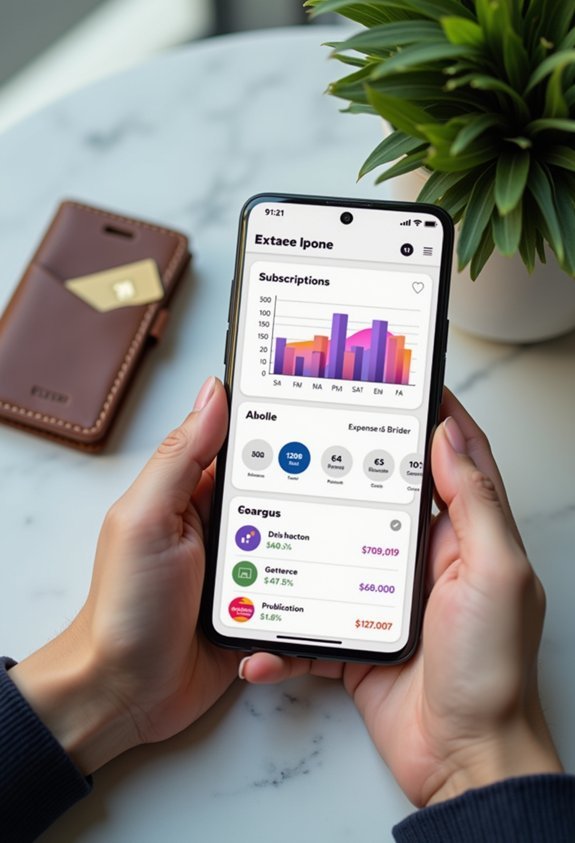
You’re probably hemorrhaging money on subscriptions you forgot existed—that meditation app you used once in January, the streaming service you meant to cancel three months ago, maybe even a gym membership from 2019.
Truebill swoops in like a financial superhero with subscription tracking that actually works. It scans your bank accounts, finds every recurring charge, and lets you cancel the ones draining your wallet (right from the app, no awkward phone calls required).
Here’s what makes it brilliant:
- Bill negotiation – Truebill’s team literally haggles with companies to lower your cable, phone, and internet bills.
- Spending insights – colorful charts show where your money disappears each month.
- Smart savings – automatically stashes cash based on your spending habits.
It’s like having a brutally honest friend review your finances, minus the judgment. The spending insights also help you identify which purchases are driven by impulse versus genuine needs, making it easier to spot patterns in your emotional spending before they drain your account.
Dosh: Passive Cash Back Without Scanning Receipts
While other cash-back apps make you photograph receipts like you’re documenting evidence for the FBI, Dosh works its magic in the background—no scanning, no uploading, no forgetting crumpled receipts in your coat pocket for three weeks.
You just link your credit or debit card, and Dosh features automatic cash back whenever you shop at participating stores or eat at partner restaurants. It’s basically passive income while you’re just living your normal life—grabbing coffee, buying groceries, booking hotels.
The beauty here? You can’t mess it up.
No forgotten receipts means no lost money (which happened to me approximately 847 times with other apps). Download it once, connect your cards, and let it run. That’s it.
Your laziness finally pays off.
GasBuddy: Find the Cheapest Gas Prices Near You
Nothing stings quite like filling up your tank, driving two blocks, and seeing gas for 30 cents cheaper at the station you just passed.
You may also like:





GasBuddy saves you from that frustration—and actual money. It shows real-time prices from stations near you, helping you navigate those annoying gas price fluctuations without the guessing game.
GasBuddy delivers real-time gas prices so you can dodge expensive stations and keep more money in your pocket.
Here’s what makes it brilliant:
- Community-updated prices keep you informed about the cheapest options in your area.
- The app includes fuel efficiency tips to stretch every gallon further.
- You’ll earn points toward free gas just by reporting prices you see.
Download it before your next fill-up, and you’ll never overpay again. Your wallet (and your sanity) will thank you when you’re consistently choosing the best-priced station instead of whatever’s closest.
In case you were wondering
Are These Money-Saving Apps Safe to Link to My Bank Account?
Most reputable money-saving apps are safe because they use bank-level encryption to protect your data. You’ll want to verify the app has strong app security measures, read-only access to your accounts, and multi-factor authentication before linking.
Do I Need to Pay Taxes on Cash Back or Rewards Earned?
Generally, you won’t owe taxes on cashback or rewards from purchases—they’re considered rebates. However, cashback taxation applies to sign-up bonuses over $600, and rewards implications vary for referral bonuses requiring 1099 forms.
Can I Use Multiple Money-Saving Apps at the Same Time?
Yes, you can use multiple money-saving apps simultaneously. Most apps have excellent app compatibility, allowing you to stack benefits. This money management strategy maximizes your savings by combining different rewards programs, cashback offers, and discounts without conflicts.
Will Using These Apps Negatively Affect My Credit Score?
Funny you’d ask—most won’t. Budgeting and cashback apps don’t check your credit, so there’s zero score impact. However, apps involving loans or credit utilization tracking might pull your report, potentially affecting your score temporarily.
How Do Free Money-Saving Apps Actually Make Their Money?
Money-saving apps use various business models to generate revenue. They’ll earn through affiliate commissions when you shop, charge premium subscription fees, or use user incentives like cashback offers where they keep a percentage of partnerships with retailers.
Conclusion
Look, saving money doesn’t have to feel like pulling teeth—and with these apps doing the heavy lifting, you’re basically getting paid to let your phone do the work. Whether you’re rounding up spare change, hunting down forgotten subscriptions (we’ve all got that streaming service we forgot about), or scoring cash back on stuff you’d buy anyway, these tools turn saving from a chore into something that just… happens. Your future self will thank you.